The team chat that
also runs your roster.
Chat, calls, tasks and calendar for everyone, with rostering, clock-ins, Fair Work award interpretation and payroll export behind it. One Australian app instead of five.
macOS and Windows. Free for up to 5 people.
Every shift priced against the award as you place it, per person and per week. Clock-ins, breaks and finish times from the app, ready to export to payroll. Penalty rates and overtime priced for a real shift, totalled, with every line shown. One screen for the owner: who is connected, who is on the floor, what needs a decision.
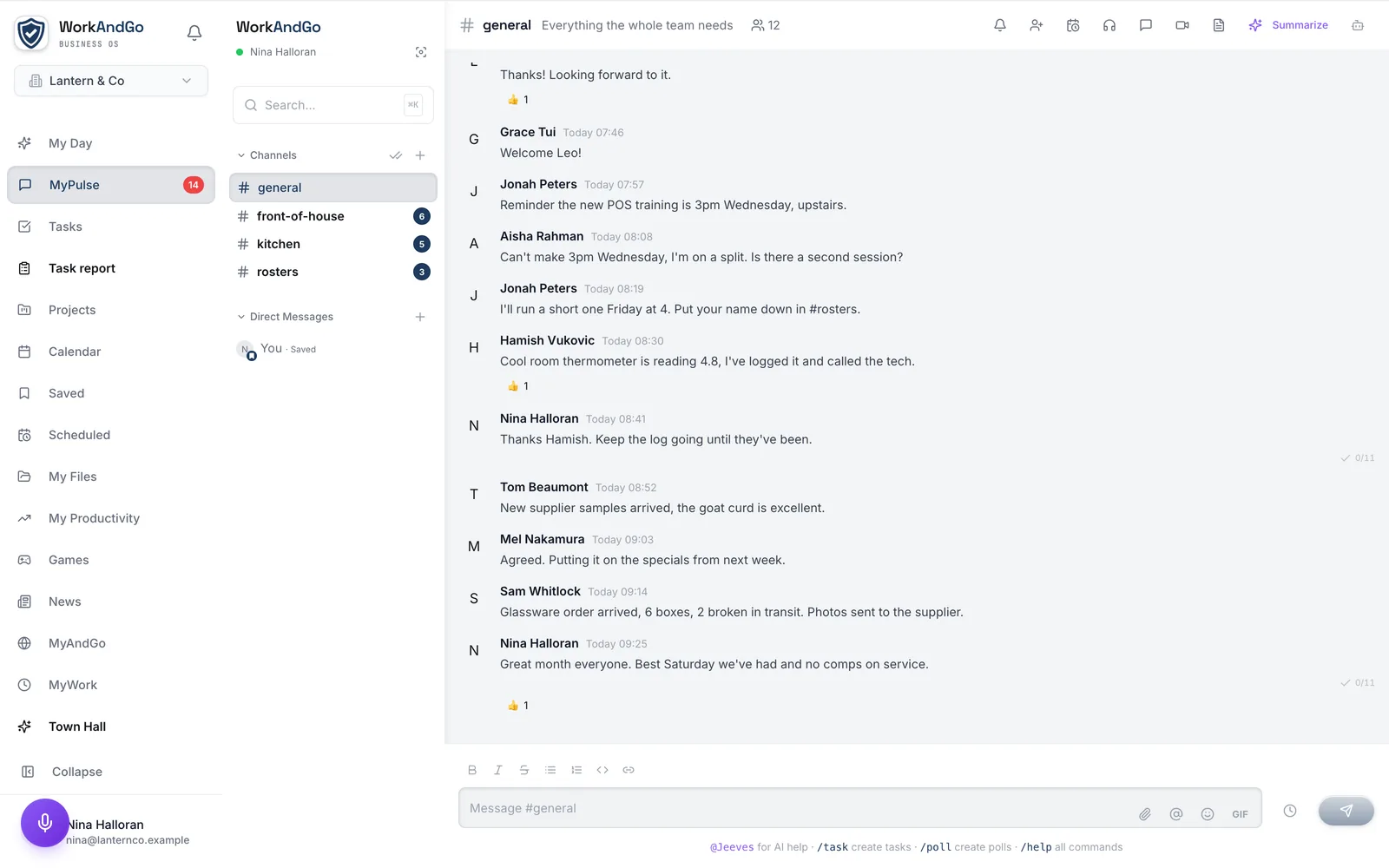
Real screenshots of WorkAndGo. The business, the people and the numbers are invented, and the pay figures are the product’s own estimate, not a payroll figure.
Everything your team needs. Nothing they don't.
Messaging
Channels, direct messages, threads, and search. Share files, react with emoji, pin important messages.
Calls & meetings
Voice and video calls with screen sharing. Built-in calendar. AI meeting notes generated automatically.
Tasks
Create tasks from any message. Priorities, assignments, dependencies. Type /task in chat.
Calendar
Schedule meetings, view your week, share availability. Syncs with Google Calendar and Outlook.
HR tools
Clock in, request leave, view your roster, access documents. No separate HR app needed.
Jeeves AI
Summarise discussions, answer questions, process HR requests. Type @Jeeves or use voice.
Up and running in two minutes.
No complicated setup. No migration headaches.
Download
Get the app for macOS or Windows. It's 8MB. Smaller than a photo.
Sign in
Use your work email. Your admin has everything set up for you.
Start working
Channels, tasks, and calendar are ready. Say hi to the team.
Real conversations, not email chains.
Organise discussions into channels. Keep decisions visible. Find anything instantly.
- Channels for projects, teams, and topics
- Threaded replies to keep things focused
- Search every message ever sent (no 90-day limit)
- Pin favourites to the top of your sidebar
- Daily games and news to keep the team engaged
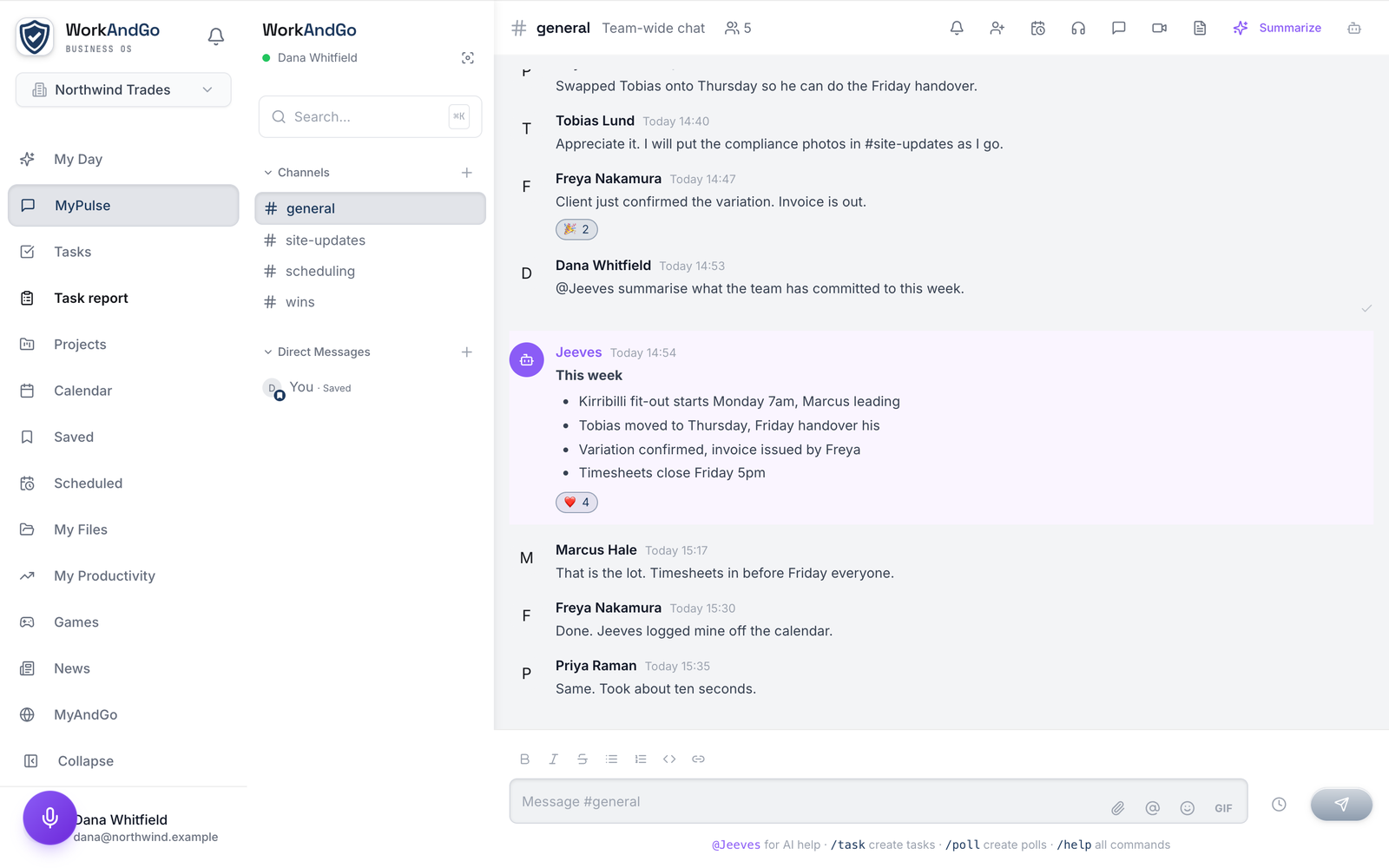
Meet Jeeves. Your team's extra pair of hands.
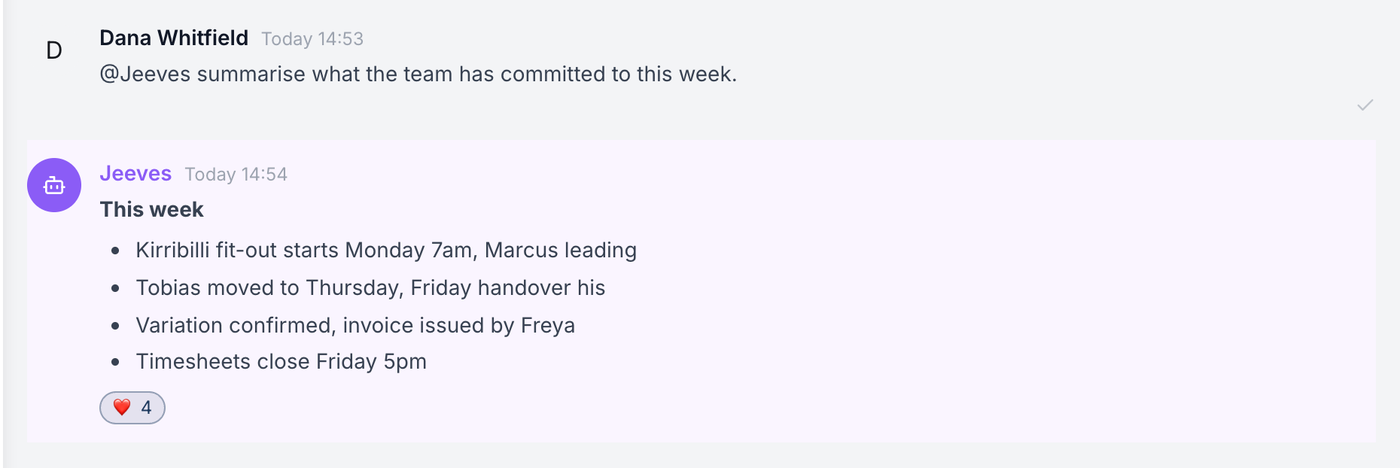
Jeeves lives in every channel. Mention @Jeeves or tap the microphone to talk.
- "Book a meeting with Sarah on Wednesday"
- "Summarise the last 50 messages"
- "What's my leave balance?"
- "Who has a birthday this month?"
- Automatic meeting notes and action items
The HR portal people actually use.
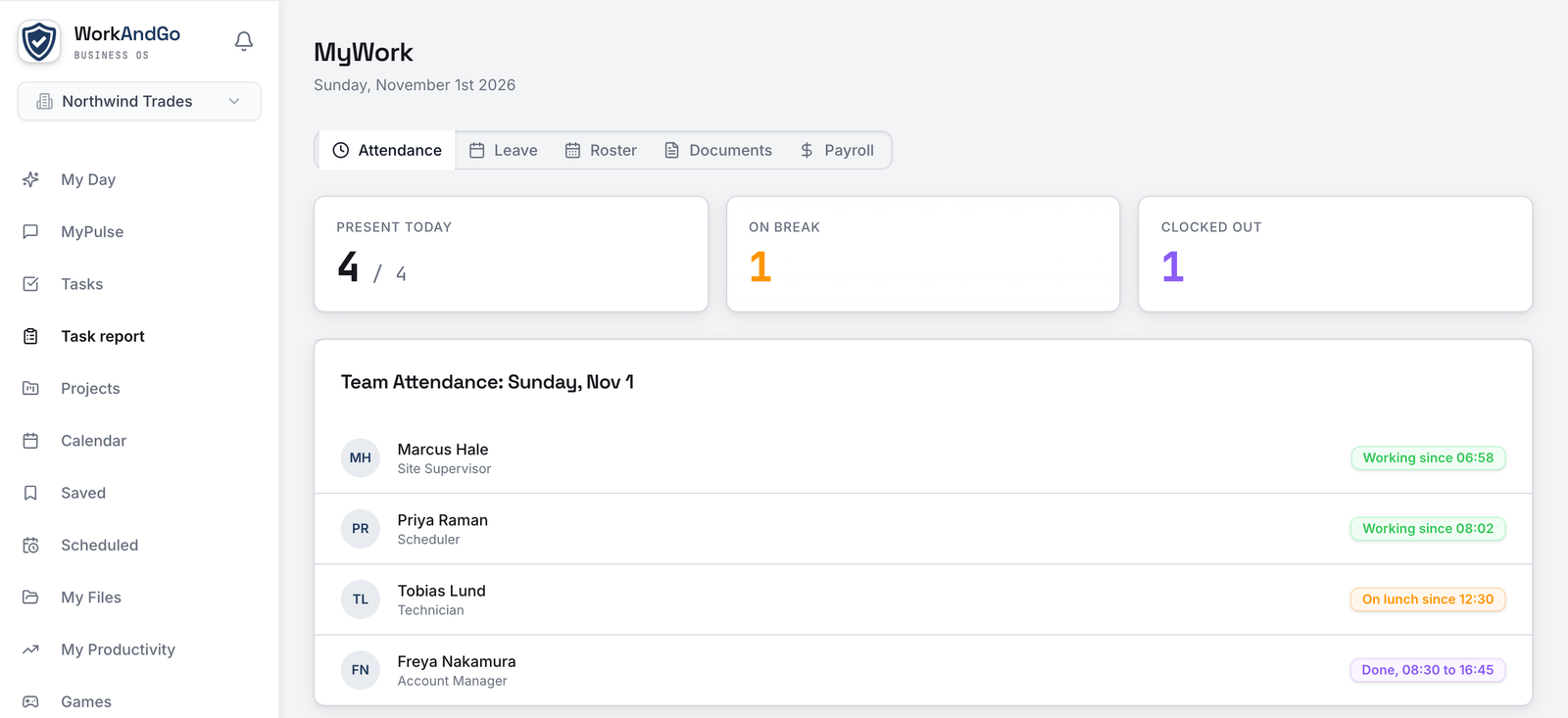
Clock in, request leave, check your roster, and access documents. All without leaving the app.
- One-tap clock in with location verification
- Break and lunch tracking with live timer
- Leave requests with smart availability checking
- Your upcoming shifts and roster
- Secure document vault for payslips and contracts
Built for teams that need
more than just chat.
WorkAndGo gives managers the tools to understand how their team works: productivity insights, smart reporting, and HR automation.
Team insights
Real-time attendance, activity overview, and who's working on what. All in one dashboard.
Smart reporting
AI-generated daily and weekly reports. Focus scores, activity summaries, and trend analysis.
HR automation
Roster management, leave workflows, staffing thresholds, and compliance tracking.
Performance
Regular check-ins, goal tracking, and AI-assisted performance reviews that write themselves.
Workflows
Automate repetitive tasks. When someone joins, requests leave, or completes a task, trigger actions.
Australian data
All data stored in Australia. Built to comply with Australian Privacy Principles. Multi-region available.
Ready to try WorkAndGo?
Free for up to 5 people. No credit card required.
iOS and Android coming soon.
Common questions
The things teams ask before they switch.
Does WorkAndGo replace Slack or Teams?
For most teams, yes. Channels, direct messages, threads, search, files, calls and screen sharing are all here. The difference is that rosters, timesheets and award interpretation are in the same app rather than bolted on.
Is the free plan really free?
Yes. No time limit and no card. It covers up to 5 people with chat, calls, tasks, calendar, rosters, clocking on and your own productivity view.
Is it priced per person or per business?
Per person, from the first person. There is no minimum, no block of seats to buy up front, and no headcount where the price steps. Ten people cost ten times what one person costs; there is no volume break and no step.
Which awards are supported?
The General Retail Industry Award (MA000004) and the Hospitality Industry (General) Award (MA000009) ship with the interpreter. It walks a shift in fifteen-minute segments and explains every penalty, loading and overtime tier it applies.
Where is our data stored?
In Australia. Your team’s messages, files, rosters and records are stored in Sydney, and the AI that works on them runs in Sydney too. The full detail is in our privacy policy.
Can employees see the monitoring dashboards?
No. Admin pages are not reachable from the employee app at all, and monitoring is off by default. Where a business does turn it on, the employee is shown a disclosure, and nothing is kept until they acknowledge it.
Is there a desktop app?
Yes, for macOS and Windows. The web app works in any modern browser, and mobile apps are in development.
Can staff clock on from a phone?
Yes, through the web app on any device. Mobile apps are in development.
How does the award interpretation work, and who checks it?
It walks the shift in fifteen-minute segments and prints every line it applied: ordinary hours, each penalty, each loading and each overtime tier, with the rule it came from. You see the working, not just a total, so a payroll officer can check it line by line. Rates are versioned by date, so a shift is priced against the rates that applied on the day it was worked. Only an administrator can export a timesheet to Xero, and leave only syncs once it has been approved. It is a calculator that shows its working, not a replacement for your own payroll check.
We are moving from Deputy or Tanda. How hard is it?
There is no importer, but moving is mostly setup. Invite your whole team in one go by email, they sign in with Google or Microsoft, then add your rosters, leave types and public holidays. Historical timesheets stay in your old system. Switch at the start of a pay period, which is the cleanest point for payroll. If you get stuck, email us and we will help.
Can we cancel?
Yes. No lock-in, no minimum term and no cancellation fee. Email support@workandgo.com.au and the plan stops at the end of the period you have already paid for. You can export your people register and timesheets before you go.
Does a person ever check what the AI does?
Jeeves drafts and people decide. A performance review, a meeting summary and a check-in question are all drafts a manager edits before anyone else sees them. Jeeves does not set pay, approve leave or file a review on its own. It runs on Google Vertex AI in Sydney, and your content is not used to train anyone’s model.
How do we get support, and how quickly do you answer?
By email, at support@workandgo.com.au. We answer within one business day and usually sooner, and anything affecting a whole workspace is looked at straight away. We are a small Australian team in Darwin, so we work Australian hours.